
Why Copilot Studio needs control as agents move from answers to actions

Istvan Jaray

TL;DR
Copilot Studio agents are moving from answering questions to taking actions across Microsoft 365 and business systems, which shifts the risk from wrong answers to wrong actions. Copilot Studio orchestrates what agents do at runtime, but scaling safely requires a control plane: visibility, agent identity, least-privilege access, monitoring, and auditability across the whole fleet. Without that, organisations hit blind spots in inventory, access, and execution, and trust breaks the moment something goes wrong. Agent 365 fills this gap by making agents accountable and operable at enterprise scale, without replacing Copilot Studio or making agents smarter.
When Copilot Studio agents start taking action, risk becomes real
Agents are no longer just chatbots that answer questions. They increasingly take actions across Microsoft 365 and connected business systems. That shift also changes the risk profile: it’s no longer “What if the answer is wrong?” but “What if the action is wrong?”
As soon as agents can create, update, share, or trigger things on your behalf, orchestration stops being a nice-to-have feature and becomes a production control surface.
Answers were safe but actions need control
Imagine a helpful internal agent. It creates a document but saves it in the wrong SharePoint library. It sends an email, but to a broader audience than intended. It updates a record, but in the wrong system, or with outdated context.
None of these are dramatic failures on their own. But at scale, across dozens or hundreds of agents, they become operational landmines.
This is the uncomfortable truth many organisations are now facing: autonomy without visibility creates blind spots and allows anomalies to fester.
Today’s models are already competent enough to be trusted with meaningful work — if they have the right context and guardrails. The real risk doesn't come from a lack of intelligence, but a lack of context and oversight.
Orchestration now means two different things
When people talk about orchestrating agents, they often mix up two very different layers. Both matter, but they solve different problems.
Runtime orchestration: how an agent does its job
This is what most teams associate with Copilot Studio. Runtime orchestration is about how an agent:
- chooses which tools to use,
- selects topics or knowledge,
- chains multiple steps together,
- asks for missing inputs when needed,
- or even delegates work to other agents.
Copilot Studio supports generative orchestration, where the agent dynamically decides what to do next based on intent and context, rather than following a fixed, scripted flow. This is what makes agents useful.
Enterprise orchestration: how agents are governed at scale
This is where Agent 365 comes in. Enterprise orchestration is about:
- identity,
- access,
- lifecycle management,
- monitoring,
- auditability,
- and operational ownership, across a whole fleet of agents.
In simple terms:
Runtime orchestration makes agents useful.
Control-plane orchestration makes them safe to scale.
Copilot Studio agents are not “free-roaming bots”
When used well, Copilot Studio already encourages good discipline. It works best when agents have:
- well-defined intents,
- bounded toolsets,
- explicit data sources,
- and repeatable workflows.
Think of this modularity not as a limitation, but a design advantage. Smaller, focused agents reduce the action surface and make everything easier to control: testing is simpler, permissions can stay tight, and ownership becomes much clearer.
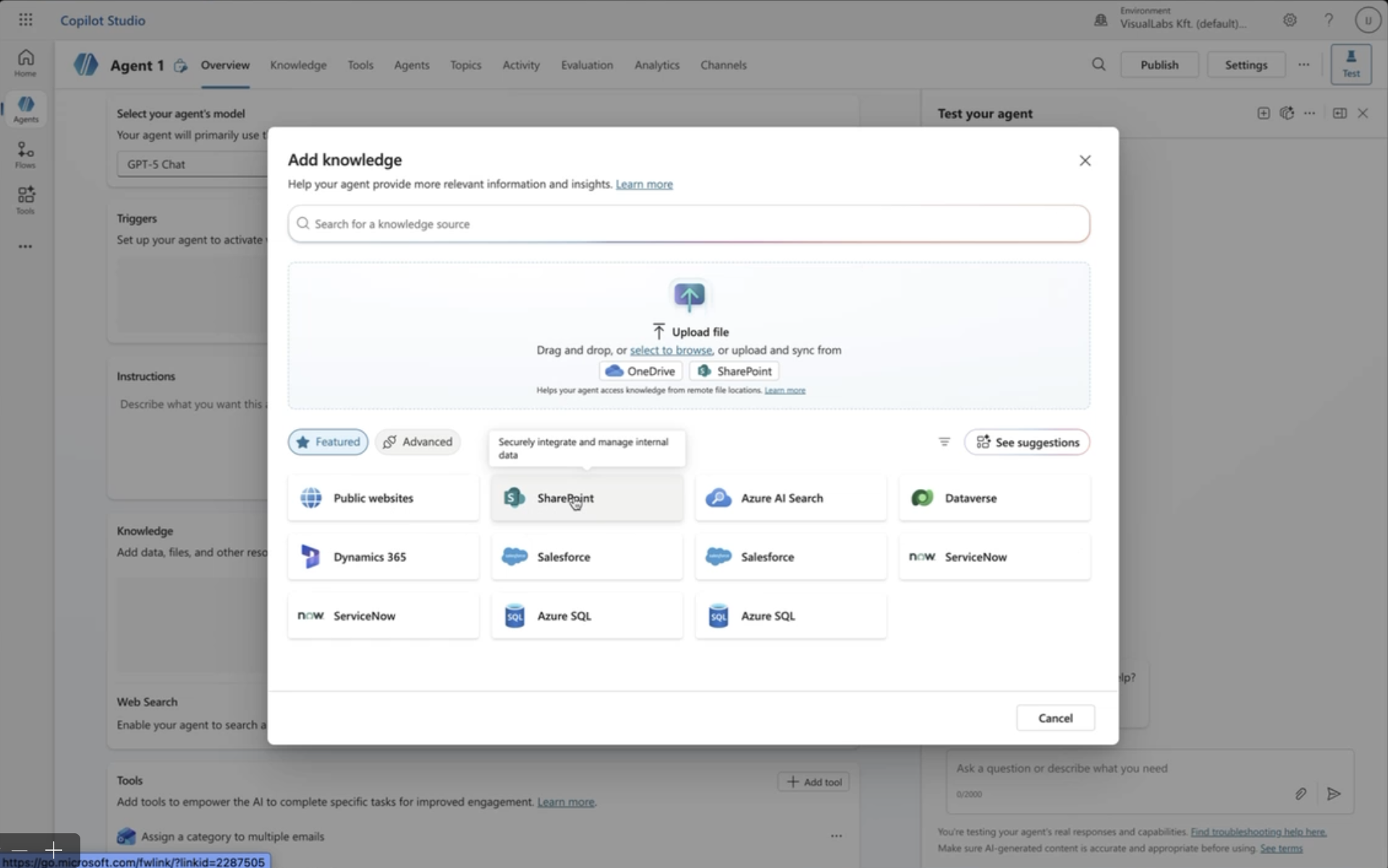
As complexity grows, best practice is to split responsibilities across multiple agents rather than building one all-knowing assistant. Connected or child agents keep behaviour precise and predictable, while still enabling collaboration.
This is how teams avoid accidental overreach long before governance becomes a problem.
Reach is expanding in two very different ways
As agents mature, their influence grows, but not in just one direction. It expands along two separate axes and mixing them up is where a lot of teams get caught off guard.
The first is distribution reach: where the agent shows up. Agents are no longer hidden away as small experiments that only a few people know about.
They’re starting to surface inside everyday work: in Microsoft 365 Copilot experiences, in Teams, in shared environments, and increasingly through curated “agent store” style publishing.
Once you reach that point, the way you build changes too. You can’t rely on ad-hoc setups anymore, because publishing and reuse demand structure: versioning, consistent behaviour, clearer ownership, and a way to manage what people are actually deploying.
The second is operational reach, and this is the more consequential shift: what the agent can touch.
Today’s agents don’t just answer questions. They can interact with Microsoft 365 data, pull from SharePoint, trigger actions in Dynamics, reach into line-of-business systems, and even call external services. In other words, they’re moving from “helpful assistant” to “active participant” in real processes.
And this is the moment governance stops being a nice-to-have. Because once an agent can take action across systems, the cost of a blind spot isn’t a just weird response in chat; it’s the wrong update in a record, the wrong document shared, or an action taken with more permission than it should ever have had.
Autonomy creates three blind spots, and they break trust
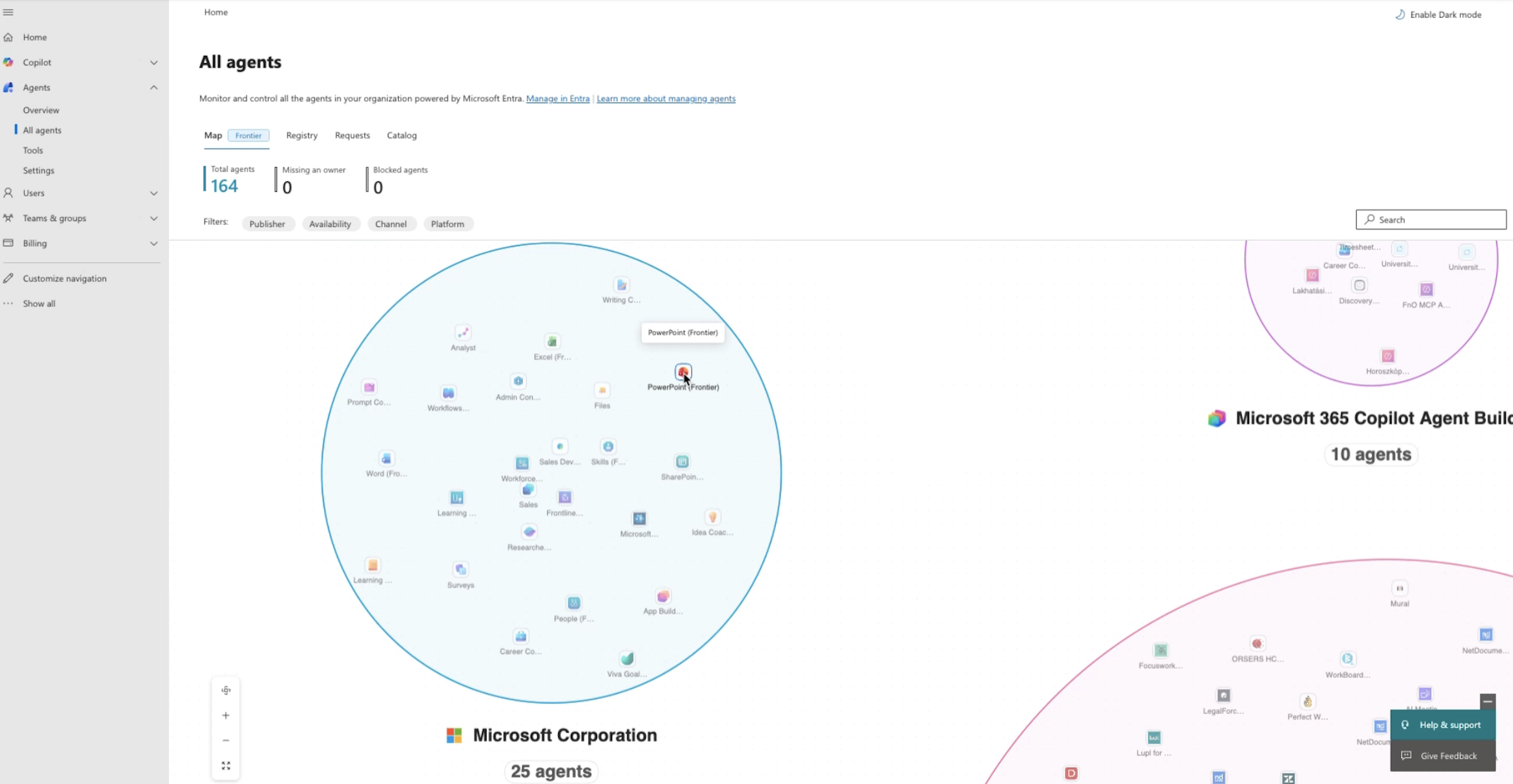
Autonomy tends to create three blind spots, and that’s usually where trust starts to crack. Business leaders experience it as risk. Ops teams experience it as losing control. And when you look closely, the blind spots almost always show up in the same three places: inventory, access, and execution.
1. Inventory blind spot
- How many agents exist today?
- Which ones are sanctioned?
- Who owns each one?
- Which are abandoned?
If you don’t have clear answers to these questions and an up-to-date inventory, agents become a ticking time bomb, much like unmanaged SharePoint sites with no owner or a single forgotten admin. You can’t secure what you can’t see.
2. Access blind spot
What can each agent access right now, and why?
Without explicit agent identities and least-privilege policies, agents often inherit more access than intended. This mirrors a familiar pattern from cloud adoption: overshared sites, legacy permissions, and “nobody noticed until it became an issue”.
AI adoption amplifies this risk because agents don’t just read, they act.
3. Execution blind spot
When something goes wrong, the questions come fast:
- What did the agent do?
- Was it compliant?
- Can we investigate?
- Can we respond?
Without granular logging and agent-level monitoring, you don’t really have incident response, you have guesswork.
Agent 365: the control plane for AI agents
Agent 365 exists to close these gaps. Not by changing how agents think, but by making them operable.
What Agent 365 actually does
In plain terms, it brings enterprise-grade discipline to managing a fleet of agents.
It gives you a central registry so you can see what agents exist, who owns them, and quarantine anything unsanctioned. It adds agent-level access control: a dedicated identity with policy-based, least-privilege permissions that doesn’t just piggyback on the user.
It also improves visibility with telemetry, dashboards, usage and performance tracking, and even ROI measurement at the agent level. On top of that, it’s built for interoperability, so it can work across Microsoft platforms and beyond without forcing lock-in, and it integrates into existing security and monitoring models instead of bypassing them.
Taken together, it’s what turns agents from “cool experiments” into managed, operational entities.
What Agent 365 is not
Just as important: it’s not here to replace Copilot Studio. Copilot Studio is still where you design agents and orchestrate what they do at runtime.
And it doesn’t make agents “smarter.” It makes them accountable, monitorable, and scalable.
Organisations need to shift from building agents to running them
Many organisations already have dozens of agents running, often without realising it.
Without a control plane:
- autonomy grows faster than visibility,
- governance lags behind adoption,
- and trust erodes the moment something goes wrong.
Agent 365 marks a clear shift in mindset: from “Can we build agents?” to “Can we run them safely in production?”.
This is the moment when agents stop being clever helpers and start becoming part of your operating model. Once they have accountability, not just answers, there’s no going back.
If you’re heading there and want to check what’s in place and what needs fixing, get in touch for a free audit.
Blog posts

How to structure your context layer Fabric IQ and Foundry IQ
Heading 1
Heading 2
Heading 3
Heading 4
Heading 5
Heading 6
Lorem ipsum dolor sit amet, consectetur adipiscing elit, sed do eiusmod tempor incididunt ut labore et dolore magna aliqua. Ut enim ad minim veniam, quis nostrud exercitation ullamco laboris nisi ut aliquip ex ea commodo consequat. Duis aute irure dolor in reprehenderit in voluptate velit esse cillum dolore eu fugiat nulla pariatur.
Block quote
Ordered list
- Item 1
- Item 2
- Item 3
Unordered list
- Item A
- Item B
- Item C
Bold text
Emphasis
Superscript
Subscript
How to build custom AI agents with Copilot Studio
Heading 1
Heading 2
Heading 3
Heading 4
Heading 5
Heading 6
Lorem ipsum dolor sit amet, consectetur adipiscing elit, sed do eiusmod tempor incididunt ut labore et dolore magna aliqua. Ut enim ad minim veniam, quis nostrud exercitation ullamco laboris nisi ut aliquip ex ea commodo consequat. Duis aute irure dolor in reprehenderit in voluptate velit esse cillum dolore eu fugiat nulla pariatur.
Block quote
Ordered list
- Item 1
- Item 2
- Item 3
Unordered list
- Item A
- Item B
- Item C
Bold text
Emphasis
Superscript
Subscript
Ready to talk about your use cases?
Request your free audit by filling out this form. Our team will get back to you to discuss how we can support you.
